安装插件
npm install vuex-persistedstate -s配置插件
实例化store时配置vuex-persistedstate插件:
文件:store / index.js
import createPersistedState from 'vuex-persistedstate'

const store = new Vuex.Store({
  modules,
  plugins: [
    createPersistedState({
      storage: window.localStorage // 指定使用localStorage 作为持久化存储器
    })
  ]
})
指定持久化内容
import createPersistedState from "vuex-persistedstate"

const store = newVuex.Store({
 state: {
 	key1: 'value1',
	key2: 'value2',
},
 mutations: {},
 actions: {},
 plugins: [createPersistedState({
 storage:window.sessionStorage,
     reducer(state)  {
         return {
             // 只储存state中的值
             key1: state.key1,
             key1: state.key2
         }
     }
 })]
})
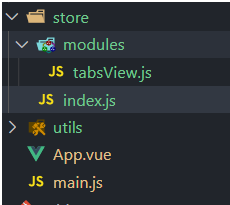
只持久化某一vuex模块
createPersistedState({
    storage: window.sessionStorage, // 使用sessionStorage 进行state 持久化
    paths: ['tabsView.tabList'] // 只对 tabsView module 文件中的 tabList state 持久化
    // paths: ['tabsView'] // 对 tabsView module 文件中的整个 state 持久化
})
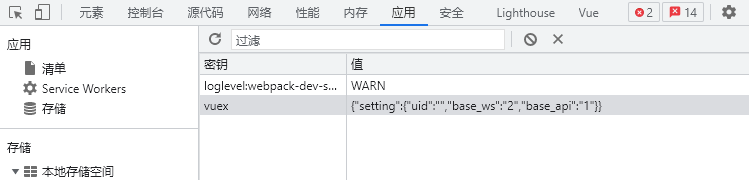
实际存储内容
实际存储是被序列化以后他的数据 键为 vuex 的内容 ,这里的setting 是模块名称